Mohon dibantu akses dashboard sales untuk kebutuhan laporan regional.
Modern ITSM for Structured and Measurable Support Operations
Vanguard Service Management is a multi-tenant IT Service Management platform that helps organizations manage the full support lifecycle — from ticket intake and assignment to SLA monitoring, resolution, CSAT, and reporting — in one integrated system.
Core Capabilities
Core Capabilities for Structured Service Operations
From ticket operations and self-service to SLA governance, CSAT, and administration — manage the full support lifecycle in one integrated platform.
Ticket Workspace
Ticket DetailDEMO-001
Permintaan akses dashboard sales
Mohon akses read-only untuk dashboard performa sales regional.
Conversation
Type your reply to the customer…
Manage queues, ticket status, assignments, conversations, internal notes, attachments, and the full ticket lifecycle from a centralized workspace.
Create a service ticket
Tell us what is happening. We will route it to the right support team.
CategoryAccess & Permissions×
Subject *Briefly describe your requestRequired, 5+ characters
Description *Describe the issue, impact, and steps already triedRequired, 10+ characters
Allow end users to submit requests through configurable forms, track ticket status, view conversations, and upload supporting files.
Ticket category management
Review category configurations, status, parents, and SLA assignments.
NameCodeStatusParentUpdated
Access ManagementaccessActive—Today, 14:20•••
Application SupportapplicationActive—Today, 14:20•••
Network & VPNnetworkActiveIT SupportToday, 13:45•••
Workplace SupportworkplaceActive—Yesterday•••
Configure service categories, ticket fields, forms, and detail layouts according to role, status, and service context.
Edit SLA Policy
? HelperPolicy nameHardware Request SLA
DescriptionPriority support requests
Make this the default SLA policyApplies when no other policy matches.
Ticket matching
Choose whether any or all conditions must match.
Match ANYMatch ALL
Ticket categoryisHardware Request×
PriorityisHigh×
SLA targets
Set one SLA duration target per priority.
- Priority
- Any priority
- First response
- 5m
- Resolution
- 4h
- Operational hours
- 24/7
- Escalation
- Enabled
SLA lifecycle
Configure when SLA starts, pauses, and finishes.
Start SLA onWhen status is in list
Pause when conditions no longer match
Start statusesIn Progress
Pause statusesWaiting user
Finish statusesResolved
Define SLA policies, business hours, reminders, escalation behavior, and monitor remaining time or potential breaches.
Tren Kepuasan Pengguna
Reports & AnalyticsCSAT · All time78%
Needs attention
Customer satisfaction score
from completed surveys.
Service quality
Jun – Sep 2026Measure service quality through post-closure surveys, response tracking, operational reports, and ticket dashboards.
- Agent · manage tickets
- Agent · edit SLA policy
- Admin · manage users & roles
- Admin · portal branding
- Audit log access
Manage users, roles, groups, portal access, branding, skills, and audit activity across the service environment.
Ticket assignedEmail
SLA reminderIn-app
Resolution updateSent
Manage event-based email templates, tenant SMTP configuration, and in-app notifications for important ticket events.
Service Workflow
Manage the Service Lifecycle from Request to Improvement
01
Submit Request
End users submit requests through a dynamic self-service form.
02
Triage & Assign
Agents review, prioritize, and assign tickets to the appropriate team.
03
Process & Collaborate
Agents update status, communicate with requesters, add internal notes, and attach supporting documents.
04
Monitor SLA
SLA timers run based on configured policies, with reminders and escalation when required.
05
Resolve & Measure
Once resolved, service data and CSAT feedback are captured for performance evaluation.
06
Improve
Reports and satisfaction trends provide input for ongoing service improvement.
Use Cases
Built for Different Service Operation Models
Internal IT Helpdesk
Centralize IT support requests across departments with structured ticketing, ownership, SLA monitoring, and operational reporting.
Shared Service Center
Manage requests across functions such as HR, Finance, or Procurement using different service categories, forms, queues, and service targets.
B2B Customer Support
Deliver structured customer support with SLA monitoring, audit visibility, and a branded service portal for different customer environments.
Migration from Email & Chat
Move service requests away from scattered email, WhatsApp, or chat conversations into a centralized and measurable ticketing process.

Why Vanguard Service Management
Build More Consistent and Measurable Service Operations

Clearer Service Ownership
Give requests clear ownership, status, and traceable activity throughout the service lifecycle.

Better SLA Visibility
Keep service targets, breach risks, and escalation conditions visible to operational teams.

More Structured Collaboration
Bring requests, communication, assignments, and internal coordination into a consistent service process.

Measurable Service Quality
Use CSAT, dashboards, and reporting to evaluate service performance and improvement opportunities.

Flexible Service Environments
Support different organizations, business units, or service environments while maintaining clear separation and administration.
Platform & Security
Built for Secure and Flexible Service Environments
Multi-Tenant Architecture
Support separate service environments for different organizations or business units within a shared platform architecture.
Role-Based Experience
Provide different permissions and experiences for end users, agents, administrators, and platform administrators.
Account Security
Support account verification and multi-factor authentication controls for stronger account protection.
Branded Service Portal
Configure portal identity and access settings for different service environments.
Insights
Highlights & latest news.
The latest milestones and updates from Vanguard Service Management.
Technology Insights#IT Operations#Enterprise Technology
Building More Reliable Enterprise Technology Operations
A practical look at how visibility, ownership, and consistent operating processes help technology teams improve reliability at scale.
Endpoint Management#UEM#Device Management
Endpoint Management Beyond Device Inventory
Modern endpoint management connects inventory with policy, application control, security, and remote operational support.
Security & Risk#Endpoint Security#Risk Visibility
Turning Endpoint Risk Signals into Clearer Priorities
Security findings become easier to manage when teams connect exposure, severity, device context, and remediation priorities.
Service Management#ITSM#Service Operations
From Shared Inbox to Structured Service Operations
Centralized requests, ownership, SLA visibility, and reporting can turn fragmented support activity into a measurable workflow.
IT Strategy#Enterprise Architecture#Governance
Connecting IT Strategy, Architecture, and Governance
Technology direction becomes actionable when strategy, target architecture, governance, and execution planning evolve together.
Company News#Company Update#Products
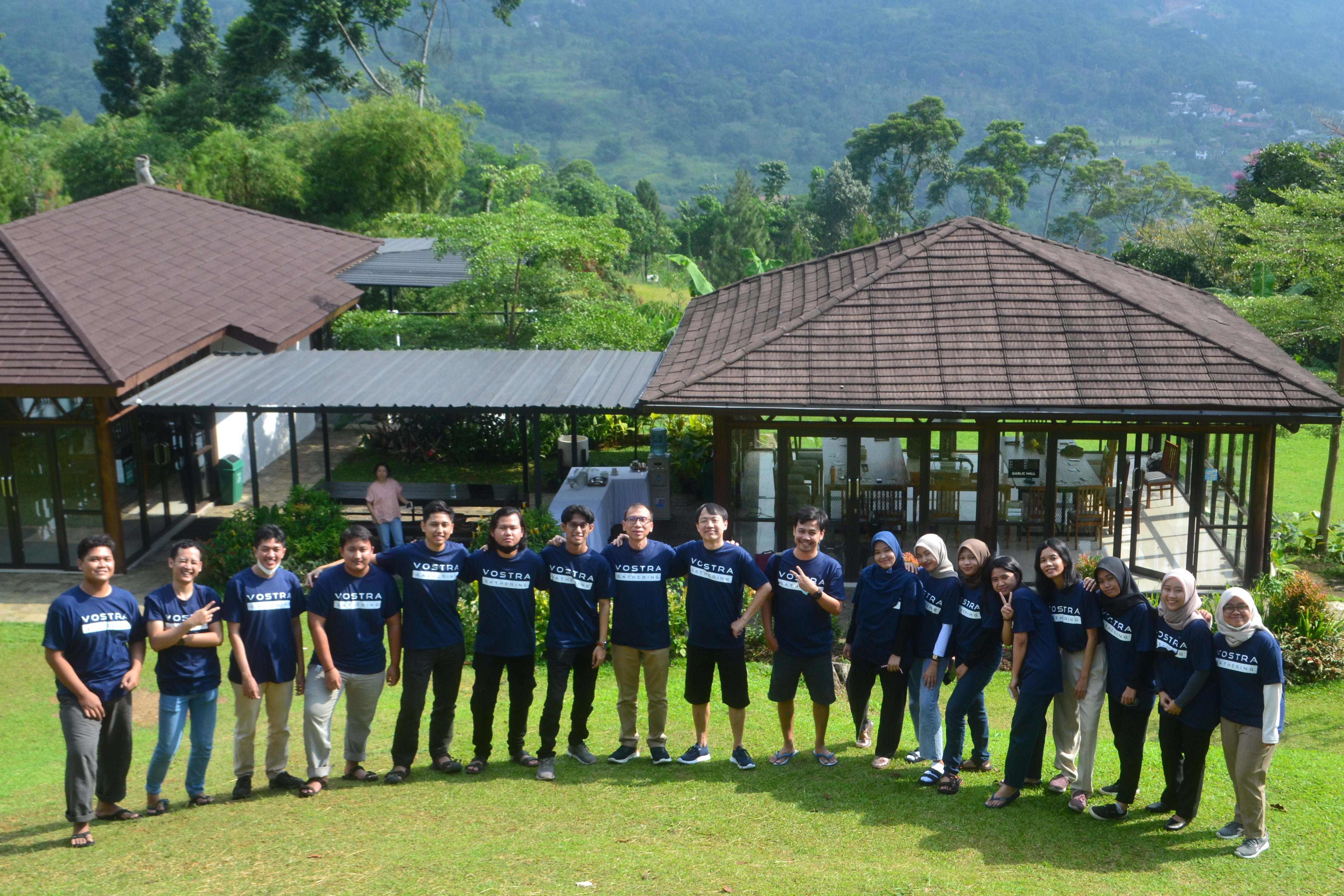
Vostra Product and Company Update
A preview of the product milestones, partnerships, and company updates that will be shared through Vostra Insights.
Bring More Structure to Your Service Operations
See how Vanguard Service Management can centralize service requests, improve SLA visibility, and make support performance easier to measure.
FAQ
Frequently asked questions.
What is Vanguard Service Management?
Vanguard Service Management (VGSM) is a multi-tenant IT Service Management platform that helps organizations manage the full support lifecycle — from ticket intake and assignment to SLA monitoring, resolution, CSAT, and reporting — in one integrated system.
Can end users submit and track their own requests?
Yes. The self-service experience lets end users submit requests through configurable forms, track ticket status, view conversations, and upload supporting files.
How does SLA management work?
Define SLA policies, business hours, reminders, and escalation behavior, then monitor remaining time or potential breaches so teams can act before targets are missed.
Does VGSM support multiple teams or organizations?
Yes. VGSM uses a multi-tenant architecture with role-based experiences, so different organizations or business units can run separate service environments within a shared platform.
How is service quality measured?
Service quality is measured through post-closure CSAT surveys, response tracking, operational reports, and ticket dashboards — giving clear input for ongoing service improvement.